One tag for every GA4 event: set it up once and forget it

Every new event means a new tag, a new trigger and a new container release. And so it goes, week after week, until the identical setups make you sick and the number of triggers grows in step with the number of tags. Here's a method where one tag handles every event at once, and an honest look at the trade-offs it brings. As a bonus I show something similar for setting up conversions, on the example of Google Ads.
I’ve wanted to share this one with the world for ages. Maybe somebody, somewhere, at some point, has already implemented something like it, but I never found anything of the sort out on the internet.
Let’s talk about so-called auto-events in web GTM. To be clear, I don’t mean the events GA4 collects by default, and not the Enhanced Measurement ones either. I’ll try to lay out the whole idea through a case. So, picture this…
You’re an up-and-coming web analyst, you’ve taken some course on web Google Tag Manager, and you’re working on a project where setting up events for Google Analytics is part of your job (obviously). It doesn’t matter at all right now whether it’s a SaaS, an online store or a services site - event and conversion tracking has to work on any site.
A task comes in: set up some event for GA4. No questions asked! You configure a
GA4 Event tag, quickly grab a selector off the form for a Form Submission
trigger, check it in debug mode - everything works - and publish. All good, the
boss says thanks.
The next day the cute designer from the next desk comes over, gives you that smile, and asks you to put an event on that little button with the fluffy kittens. Try saying no to that. A trivial task anyway, the path is already well trodden, and half an hour later you write back to her that the clicks are landing in analytics.
This goes on almost every day, and by month two you’re climbing the walls, sick of setting up these identical events. The GTM interface gets less and less tidy and readable from the inside, and the number of triggers grows in step with the number of tags for individual events. Nothing to worry about yet, though - you’ve learned to use the search inside the interface. But it dawns on you that at this rate, finding your way around the container will soon be impossible.
That’s exactly the pain we’re going to treat with the method below. But before we get to the setup, read a couple of pieces of advice from me.
My advice, and a bit of backstory
Don’t use selector-based triggers
Or at least keep them to a minimum. Yes, GTM was built for marketers, so they’d depend less on developers, but I’ve seen front-end developers break tracking more than once by simply renaming classes and ids or rearranging how elements are nested.
My advice: lean on Custom Event triggers as much as you can. Yes, it means writing a spec for dataLayer pushes, and it takes a bit longer because other people get pulled into the setup, but over the long run it gives you a sturdier, more reliable result. With the AI era here and Claude Code available, a codebase, git and repositories aren’t such scary words for marketers any more, so you can manage without a third pair of hands. Either way, treat this as a small disclaimer, because we’ll definitely be talking about dataLayer pushes further down.
A quick detour into the Universal Analytics era
Back in the old analytics we set up Goals. You got 20 of them per view (yes, that was the third level in Universal Analytics - one analytics property could hold several views).
Passing data through a dataLayer push was the most “correct” way then - and it
still is. Back then those were the eventCategory, eventAction and
eventLabel parameters, put there by the developer.
That’s when the method specialists called auto-events among themselves was born. The standard dataLayer push looked like this:
dataLayer.push({
  'event': 'autoEvent',
  'eventCategory': {{[dlv] eventCategory}},
  'eventAction': {{[dlv] eventAction}},
  'eventLabel': {{[dlv] eventLabel}}
});
where {{[dlv] eventCategory}}, {{[dlv] eventAction}} and {{[dlv] eventLabel}} are web GTM variables of type Data Layer Variable with the
matching keys eventCategory, eventAction and eventLabel.
On top of that you’d set up a Custom Event trigger firing on the event named
autoEvent.
The finishing touch was the tag itself, of type Universal Analytics Event (I
don’t remember its exact name any more, but that’s not the point), where the
event Category, event Action and event Label fields got the matching
{{eventCategory}}, {{eventAction}} and {{eventLabel}} variables. Then came
a new container version, and the Tag Manager side of the setup could be
considered finished.
And now, to make a goal fire on, say, a click on the subscribe button, all we had to do was hand the developer a small spec for a dataLayer push like this:
dataLayer.push({
  'event': 'autoEvent',
  'eventCategory': 'button',
  'eventAction': 'click',
  'eventLabel': 'subscribe'
});
What came out of it was a very elegant solution, almost magical, a little
confusing in its concept at first, but it worked like clockwork. The beauty of
the method was exactly this: to add one more event, all that was expected of us
was to hand the developer a spec for a dataLayer push with a new set of
eventCategory, eventAction and eventLabel values in it.
I don’t know for sure who came up with this method, but I think it was Simo Ahava himself. At least the first time I read about the auto-events concept was on his blog. And he called it the Generic Event Tag. That way of setting up events (no matter what you call it) became the industry standard for years, right up until GA4 arrived.
Why this trick (supposedly) died in GA4
The old analytics had a fixed event schema: four parameters in total - category, action, label, value. Four constant properties of a hit, always the same ones. That’s exactly why a single tag in GTM could handle any combination of parameters
- there was nothing to map, because all the slots were fixed.
Hits (events) in GA4 differ here: there are no fixed category, action, label, value parameters. There’s an event name and an arbitrary set of parameters with arbitrary names. And that’s exactly where the auto-events concept falls apart, because for a tag to send a parameter, you have to declare it by hand (give it a name).
David Vallejo, better known as Thyngster, taking this scheme apart in a GA4 context, puts it bluntly: you can’t do it in the new analytics, because event parameter names are arbitrary and each one has to be mapped individually depending on which event you want to send. Put simply: you can pass the event name into a single shared tag, but the parameter names (and therefore the values) - no.
How my idea was born
Honestly, I was pretty proud of working out a way to fit the auto-events concept to the realities of the new analytics myself. If an event has no fixed parameter names, then why not pass a kind of key:value pair for every parameter we want to enrich our event with? After turning the idea over in my head a bit, I arrived at this template dataLayer push:
dataLayer.push({
  event: "CE_*category*_*action*",
  pairs: [
    { ep_name: *PARAM_NAME_1*, ep_value: *PARAM_VALUE_1* },
    { ep_name: *PARAM_NAME_2*, ep_value: *PARAM_VALUE_2* },
    … ,
    { ep_name: *PARAM_NAME_N*, ep_value: *PARAM_VALUE_N* }
  ]
});
The gist:
- parameters come as an array of pairs. A parameter name (
ep_name) plus a parameter value (ep_value). - The event name can change, but the
CE_prefix has to be there. - Everything that lands in the
pairsarray goes to analytics. If you want to pass some parameter (email, say) and don’t want it reaching analytics, add it at the same level aseventandpairs.
About the tracking plan, before we forget
Before you follow the instructions below, agree on a document (a tracking plan)
that describes every event and every ep_name:ep_value pair belonging to it. A
new event used to cost the analyst’s time - and that’s exactly what filtered out
the excess. Now adding a new event costs almost nothing. And here it’s important
not to breed clutter, because something that’s free to implement can sprawl and
get out of hand fast.
The tracking plan is the filter you put in place of the price that disappeared. I’ll come back to who turns to it and when; without it, the whole construction turns into a dump within a few months.
How the auto-events method is assembled in a web container
So, here’s what we’ll need:
- 5 variables of type
Data Layer Variablefor parameter names; - 5 variables of type
Data Layer Variablefor parameter values; - a variable of type
Google Tag: Event Settings- as a container for the rest of the variables; - a variable of type
Custom JavaScriptfor the event name; - a tag of type
GA4 Eventnamed[GA4] all autoEvents; - a tag of type
Custom HTMLto clean up the dataLayer; - a trigger of type
Custom Eventfor the tag.
A couple of caveats:
- the number 5 is arbitrary. It can be more, it can be less. It’s the maximum number of parameters the trick can handle per event. In my own practice I’ve never seen a single event carry more than 7 custom parameters (on top of the standard ones).
- items 3 and 4 are optional, they’re more about cleanliness and tidiness in the container, it can work without them. From here on I’ll be showing it with them.
So let’s start building.
All the variables auto-events need
We create 5 variables for names and 5 for values, one after another. Each one carries an index from zero to four in its name and in its key. The variable name repeats the key exactly - that way you won’t mix them up; while copy-pasting I’d double-check the index, because this setup is done once.
So let’s create the pair with index zero:
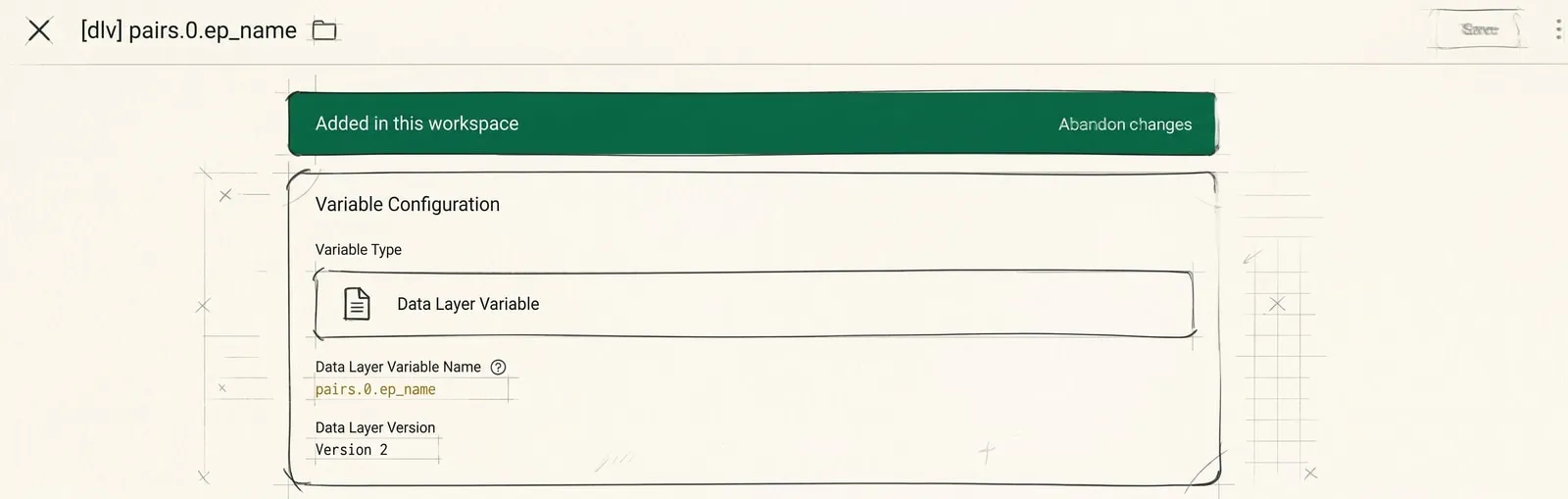
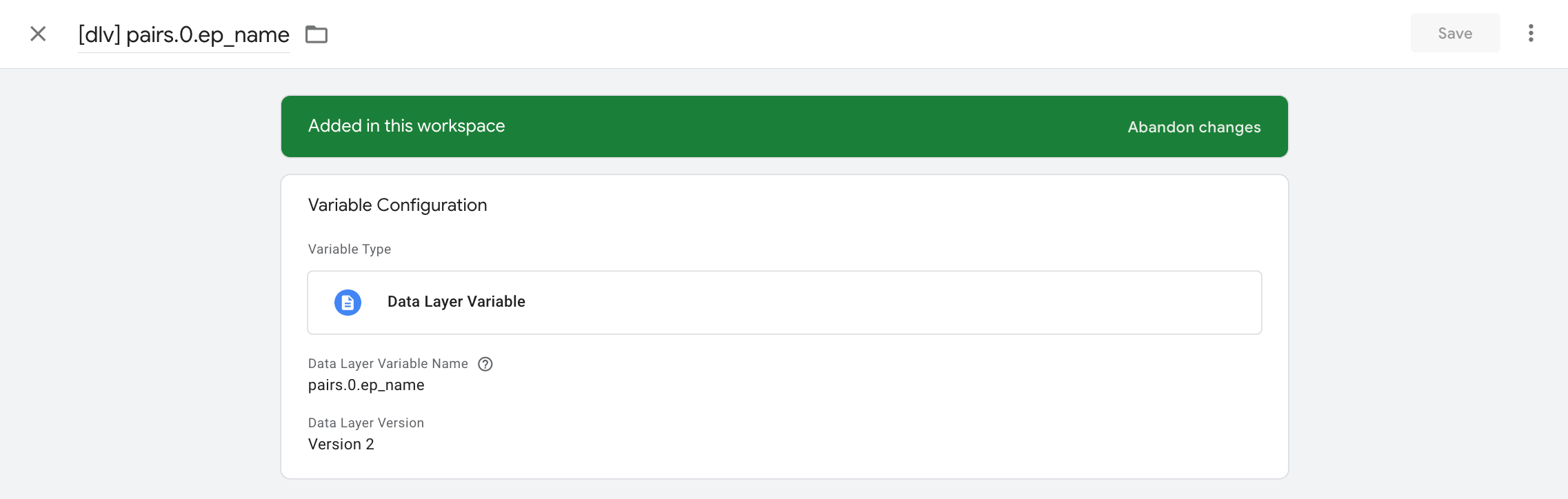
The other nine are cast in the same mold: only the index and the ending change,
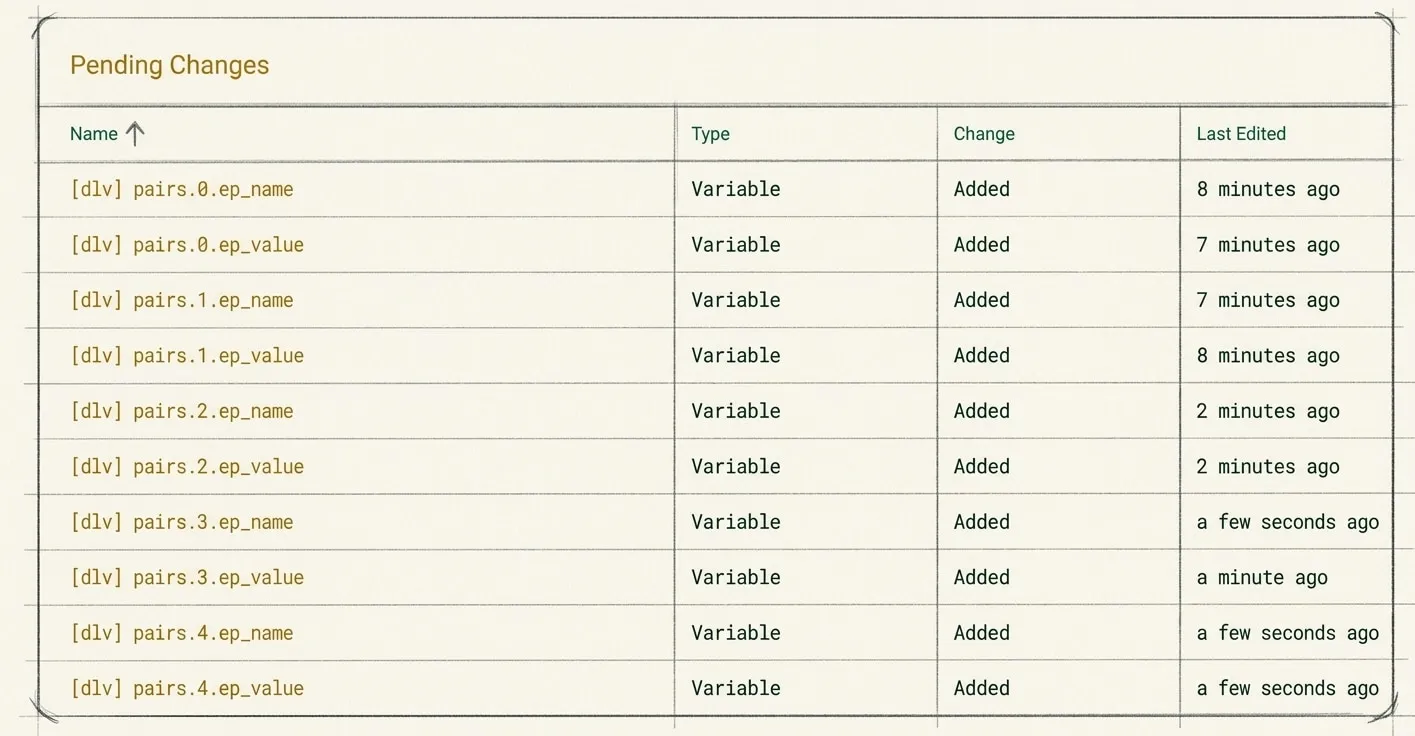
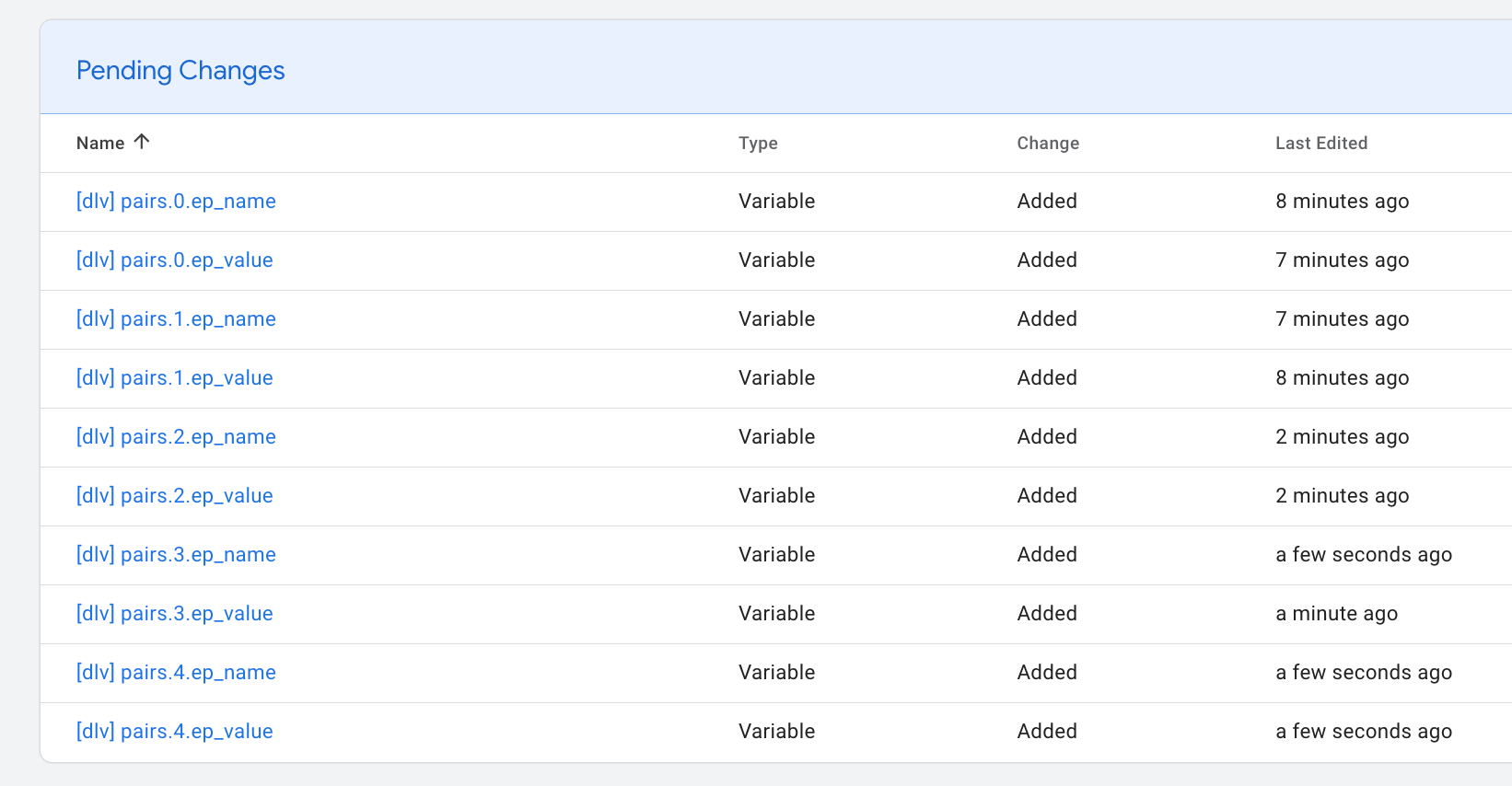
ep_name or ep_value. That gives us 10 variables.
Next we create the container variable for our pairs, of type Google Tag: Event Settings. Let’s name it [ev.config] autoEvent Dynamic Parameters.
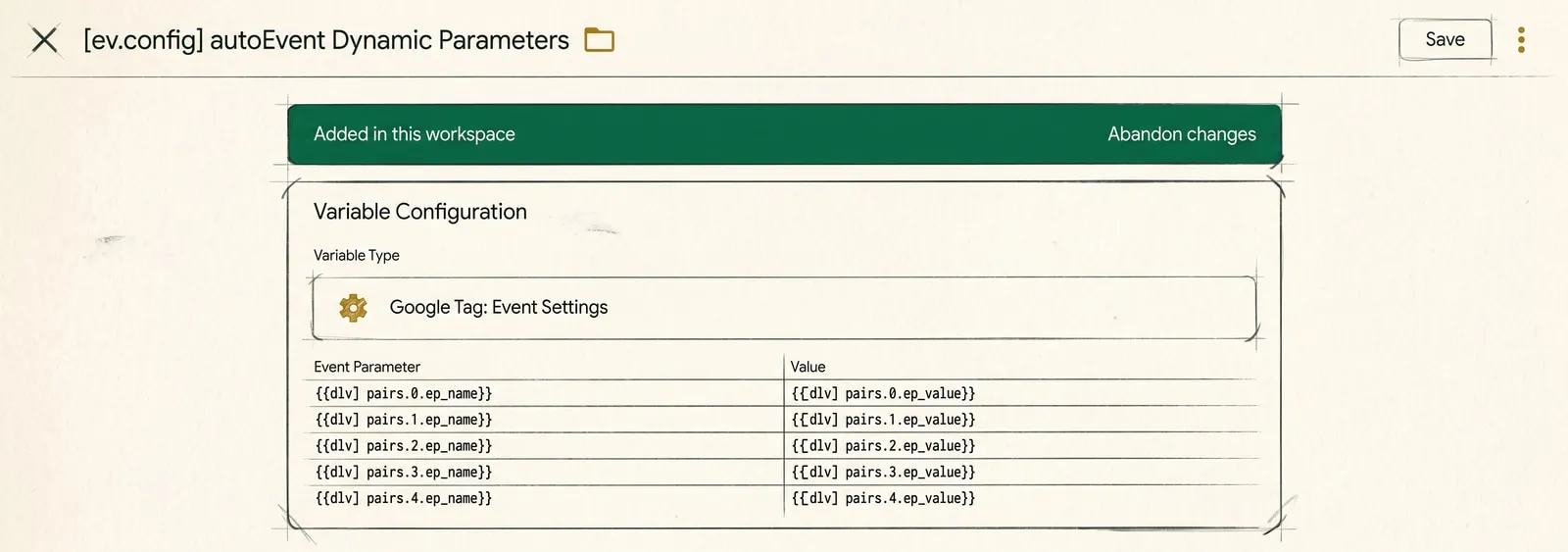
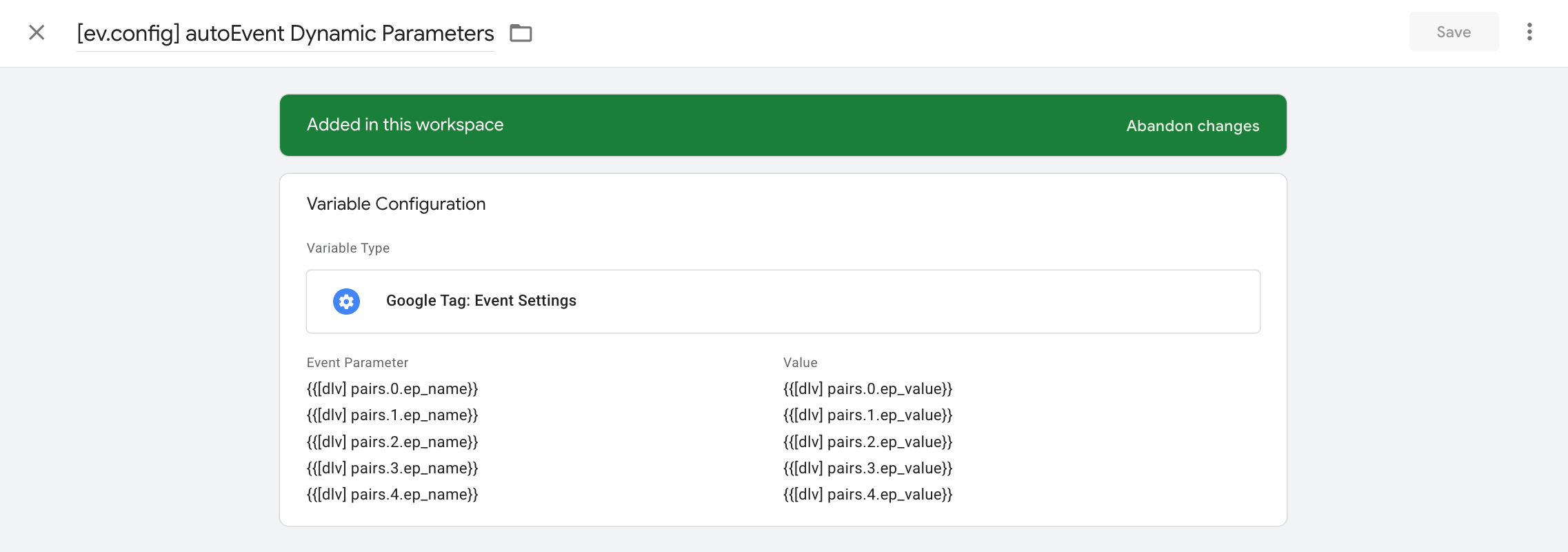
Note the main thing: the left column holds not a fixed parameter name but a VARIABLE in curly braces.
The last variable we need is {{[c.js] autoEvent name without prefix}}. Type -
Custom JavaScript Variable:
function() {
  var evt = {{Event}};
  return evt.indexOf('CE_') === 0 ? evt.slice(3) : evt;
}
It takes the event name and, if it starts with CE_, returns the version without
the prefix. We need that little piece as a signature for the events worth
handling in our scheme. After that we can get rid of it, which is exactly what
this last variable does.
CE_button_click becomes button_click. CE_form_submit becomes form_submit.
And so on.
So the prefix stays in the dataLayer pushes and in the trigger, while a clean event name goes to analytics. That’s it for the variables, not much left now - a trigger and two tags.
The trigger for the auto-events tag
We create a trigger of type Custom Event and name it, for example, [c.event] all autoEvents.
In Event name we put ^CE_, tick “Use regex matching” and save.
The auto-events tag and the cleanup tag
We create a tag of type GA4 Event and call it [GA4] all autoEvents.
- Measurement ID - put in your own;
- Event Name -
{{[c.js] autoEvent name without prefix}}; - Event Parameters -> Event Settings Variable -
{{[ev.config] autoEvent Dynamic Parameters}}; - Tag firing priority - 1, or any value greater than zero
For the trigger we pick the [c.event] all autoEvents we just made.
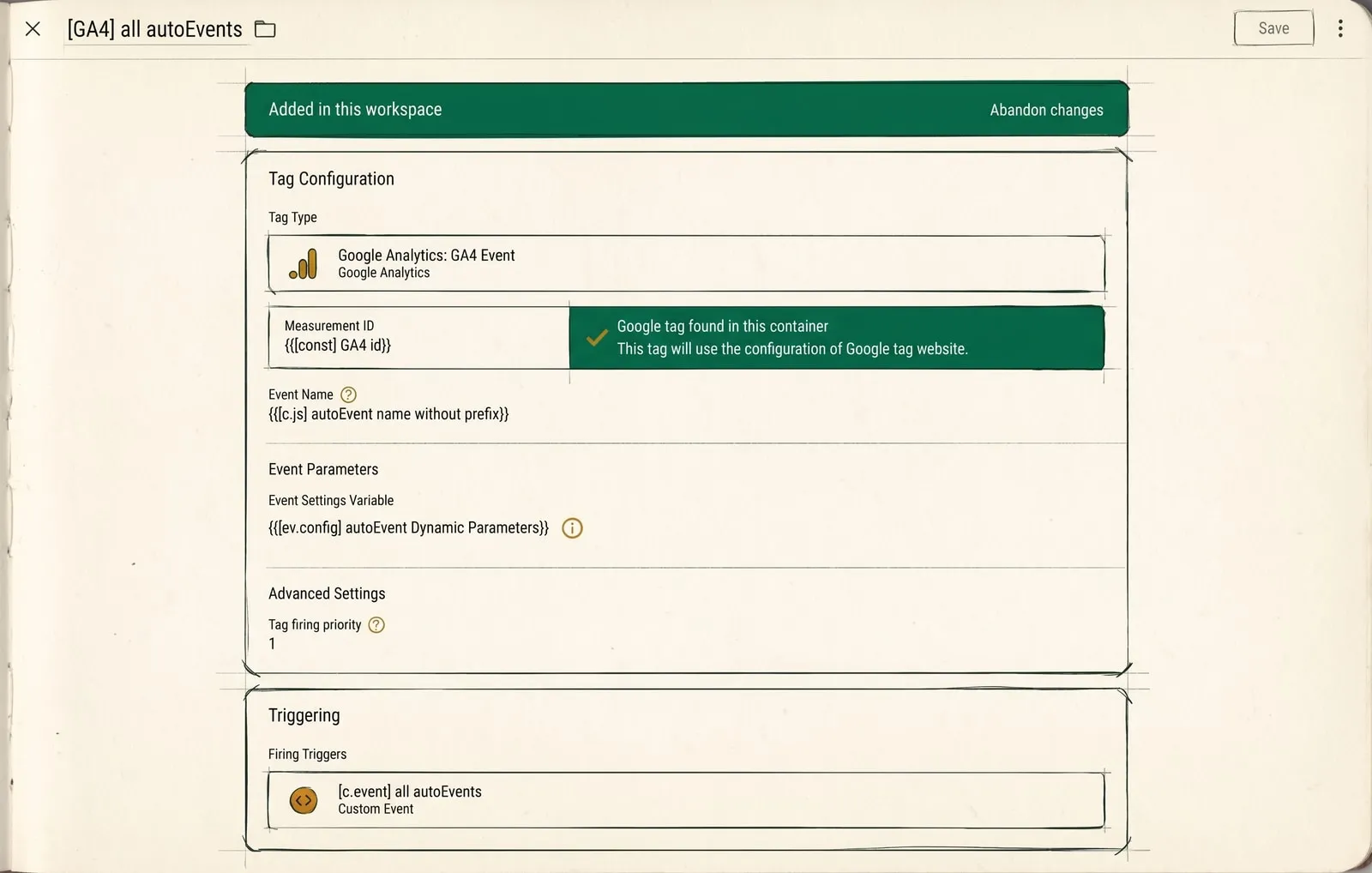
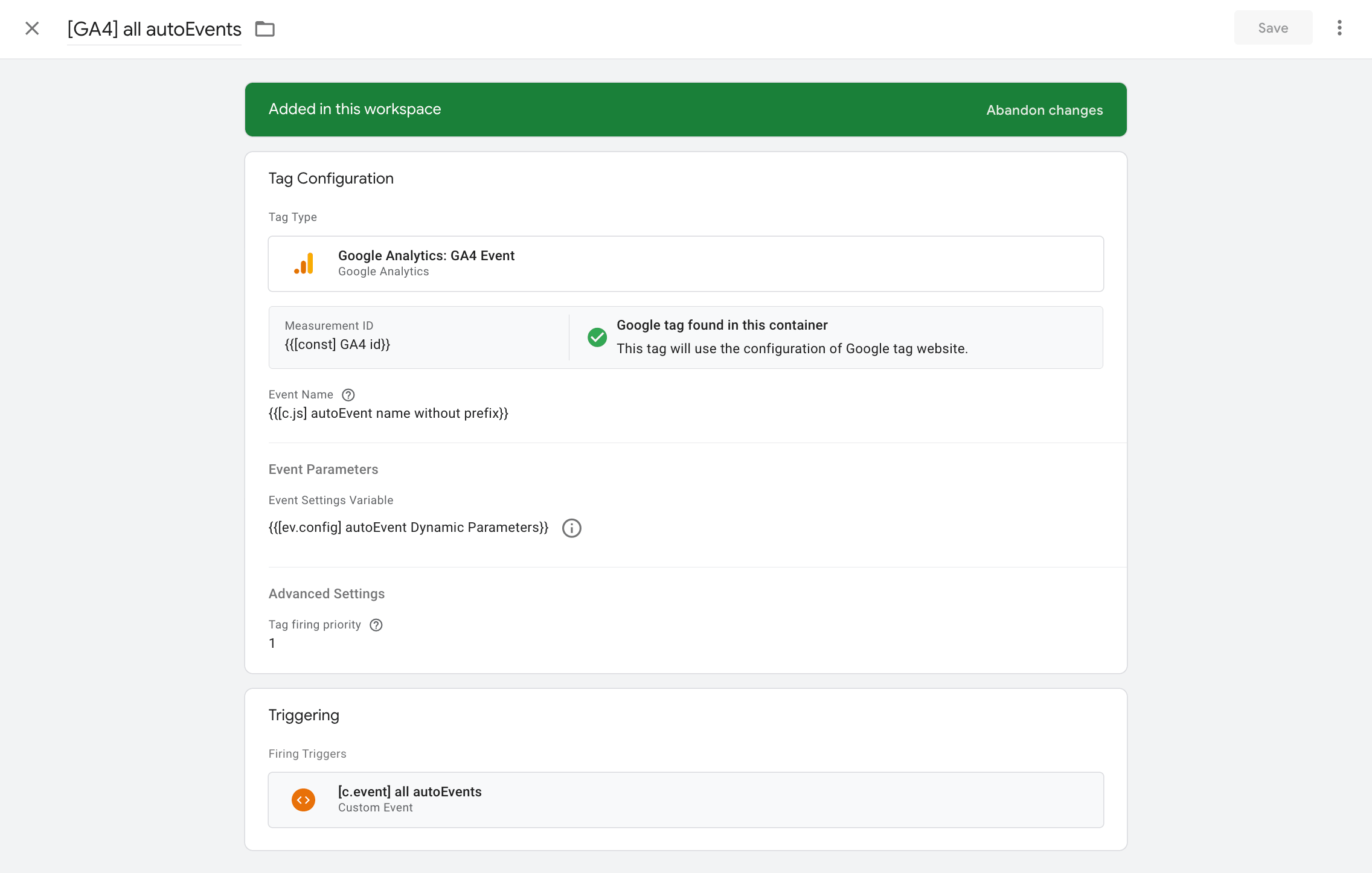
A word on priority, because it matters here. A higher priority fires earlier, and the cleanup tag’s priority is zero by default. That’s what guarantees the event leaves BEFORE the array gets cleared. Without the priority, the order is not guaranteed.
One last step - the cleanup tag.
We create a tag of type Custom HTML and call it [c. HTML] clearfix after all autoEvents. Paste in the code:
<script>
(function () {
  dataLayer.push({ event: "pairs values clearfix", pairs: undefined });
})();
</script>
For the trigger we pick that same [c.event] all autoEvents.
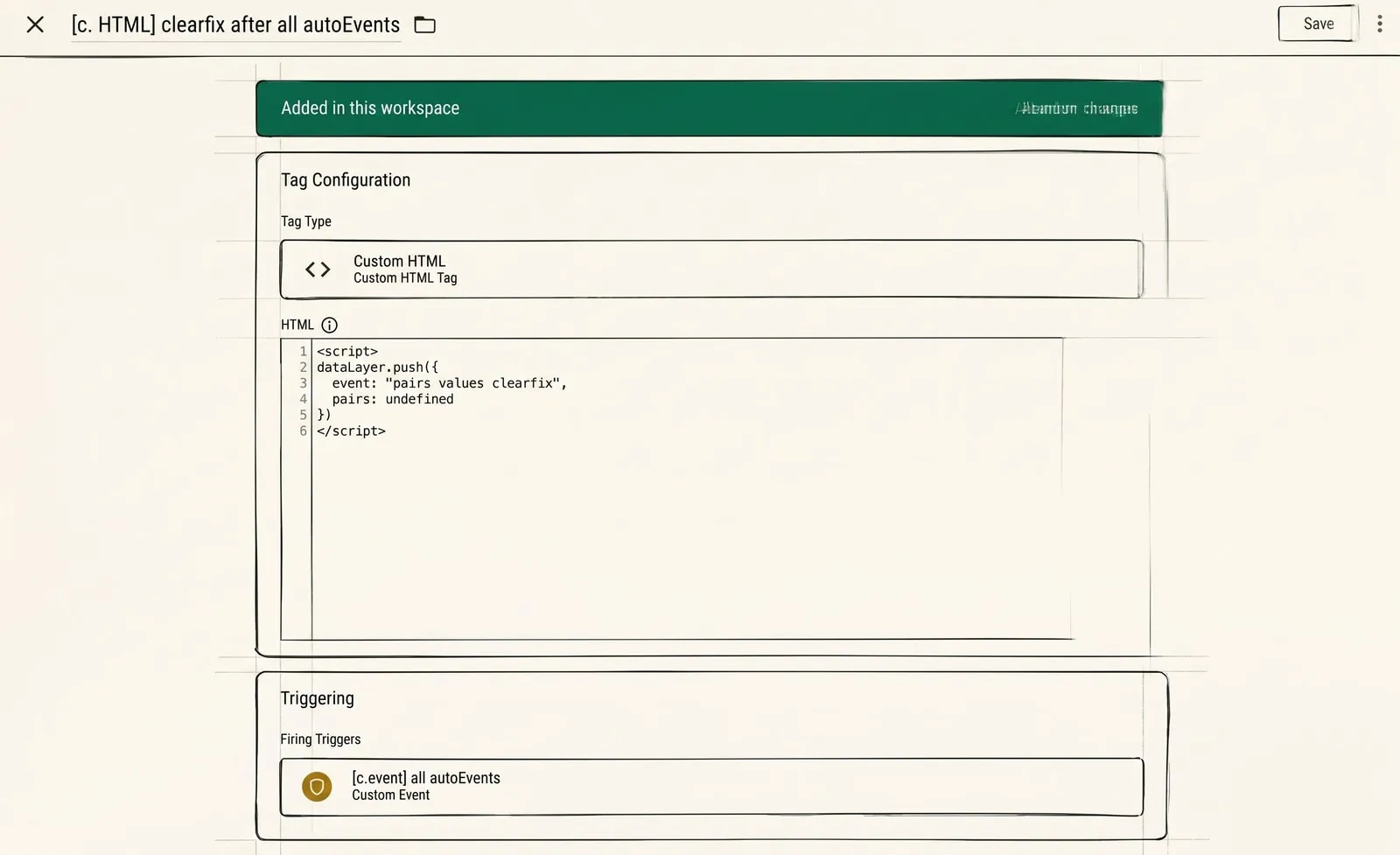
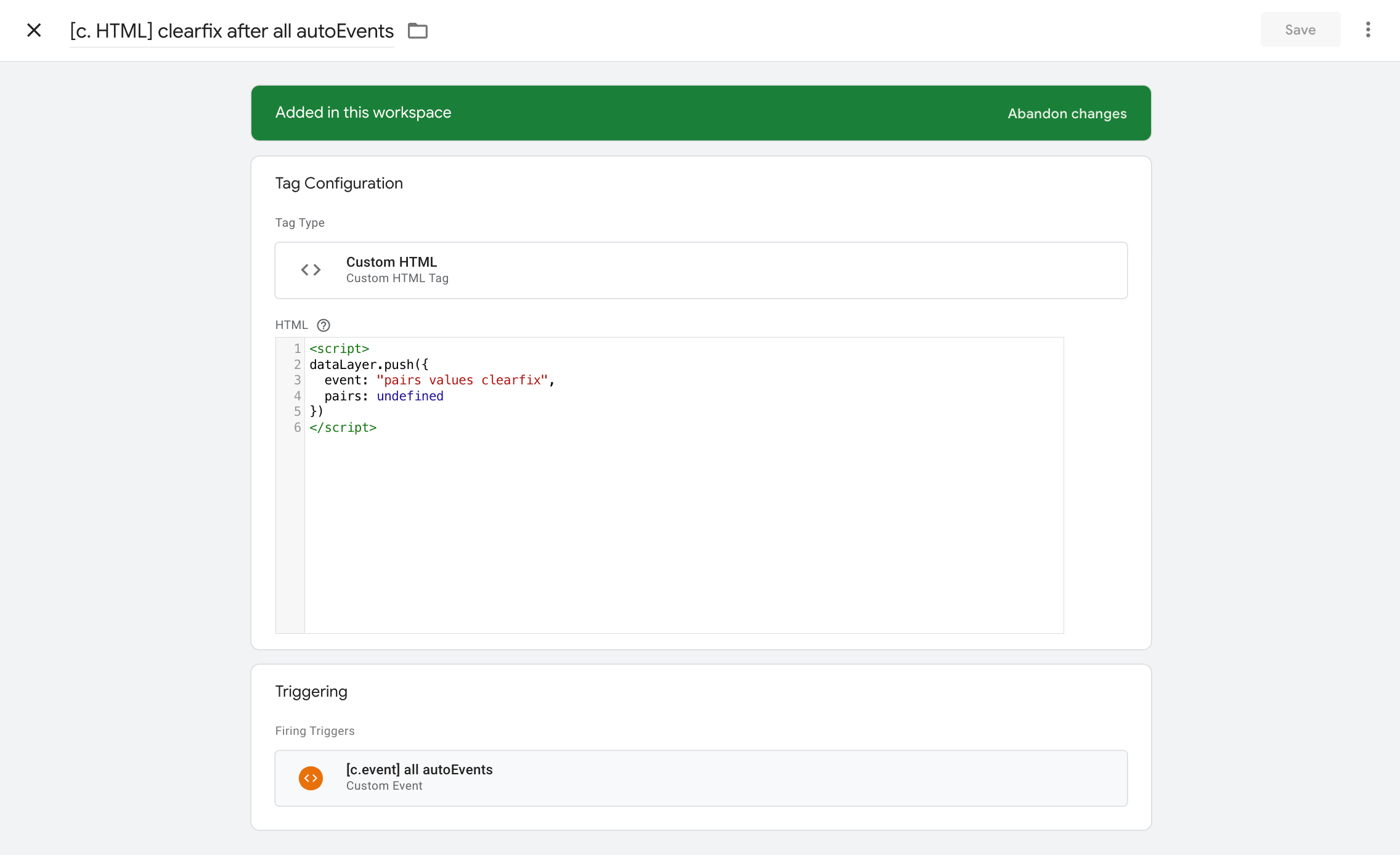
A couple of words about this, so to speak, cleanup tag.
- The dataLayer data model is cumulative. That’s the main thing, and it’s exactly why the scheme has a cleanup tag. If the next push has fewer pairs than the previous one, the tag picks up the leftovers of the old one: the event gets a parameter it never had. Simo advised passing
undefinedinto the unused fields for this case; I did it differently - with a separate tag that clears the array after every event. - Positions in the array matter. The third parameter of one event and the third parameter of another are different things. That’s exactly why the cleanup tag isn’t an option but a part of the construction.
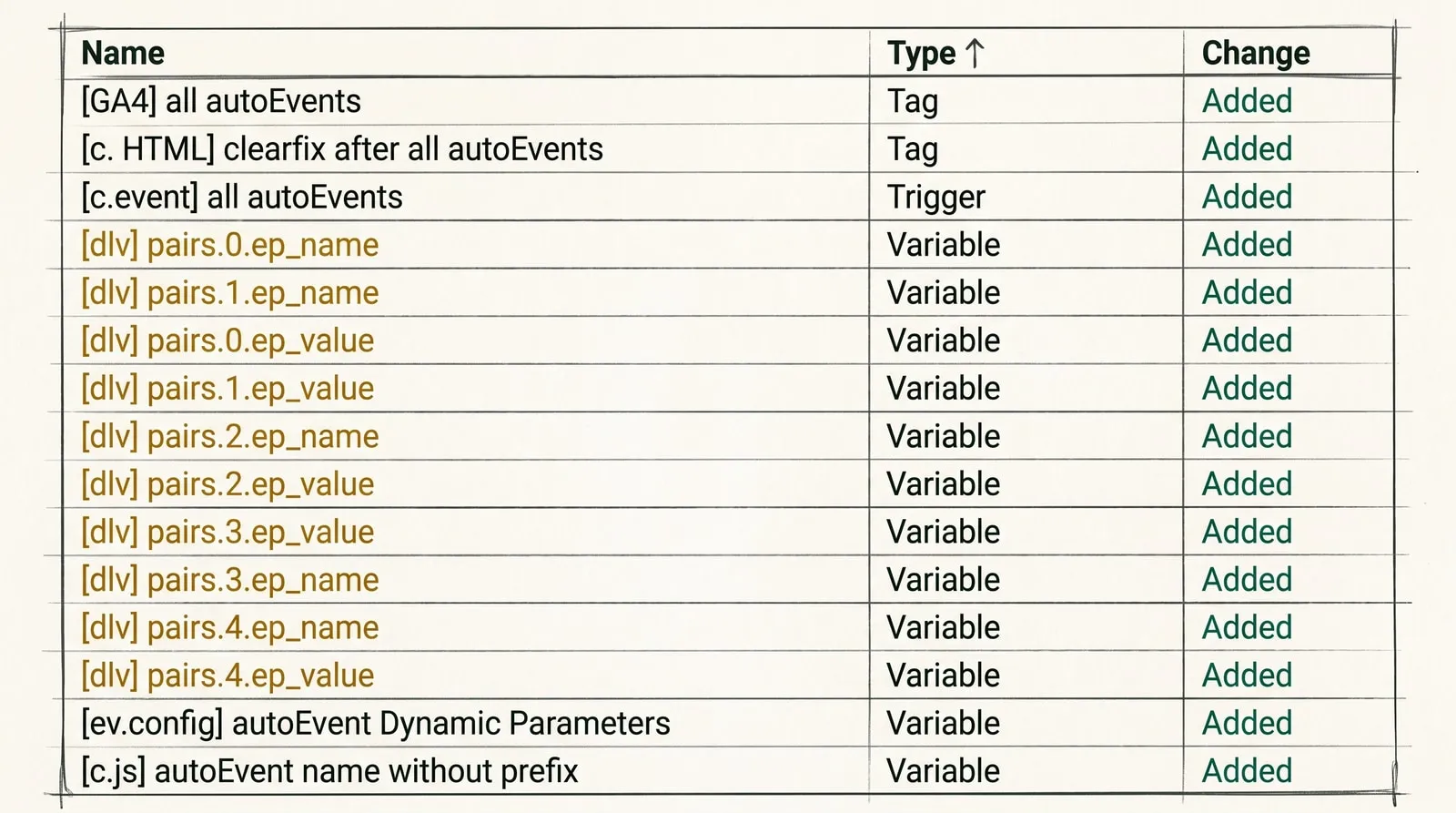
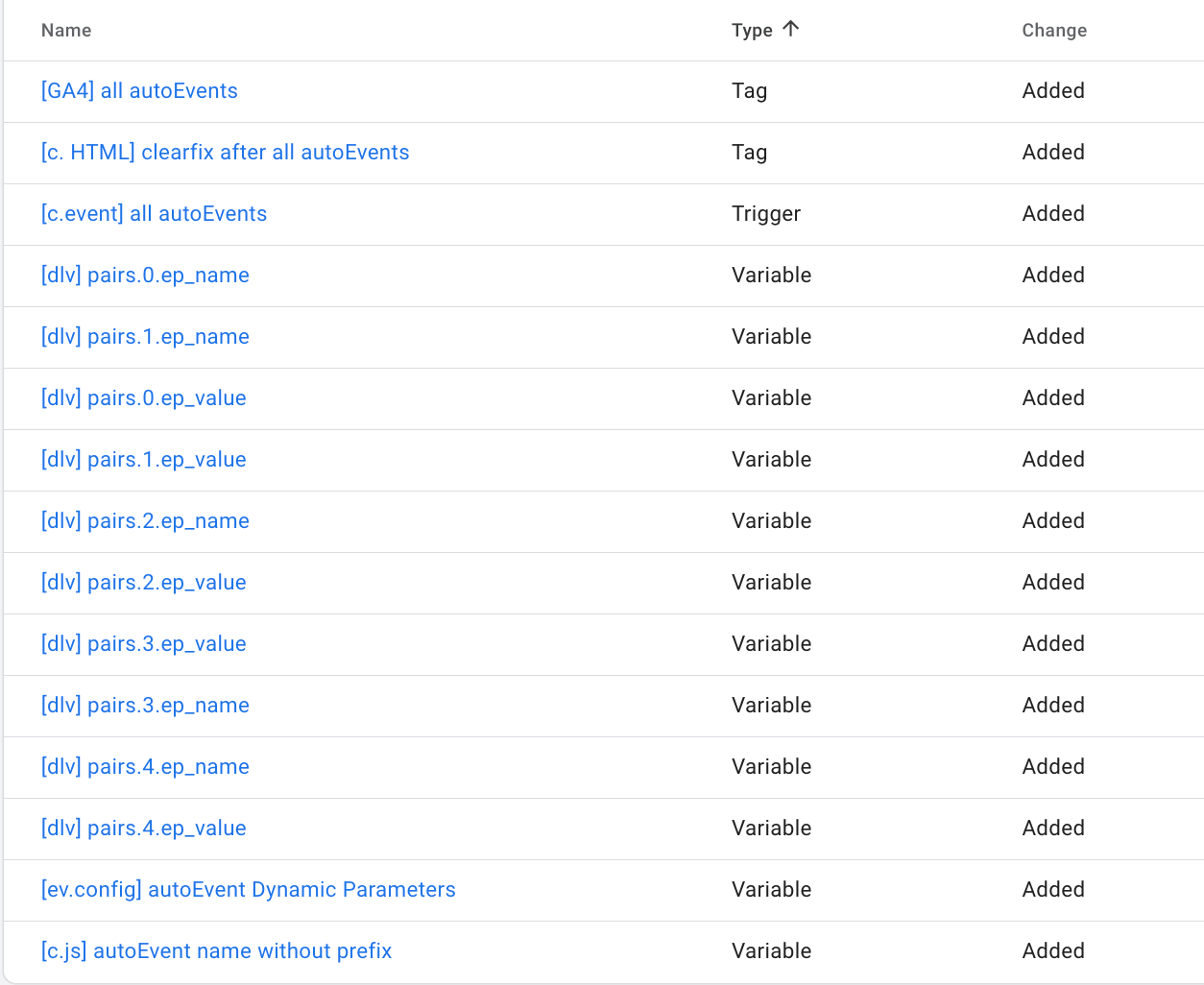
That’s everything on the setup. If you followed along step by step with me, here’s the set of changes you should end up with.
Let’s test it
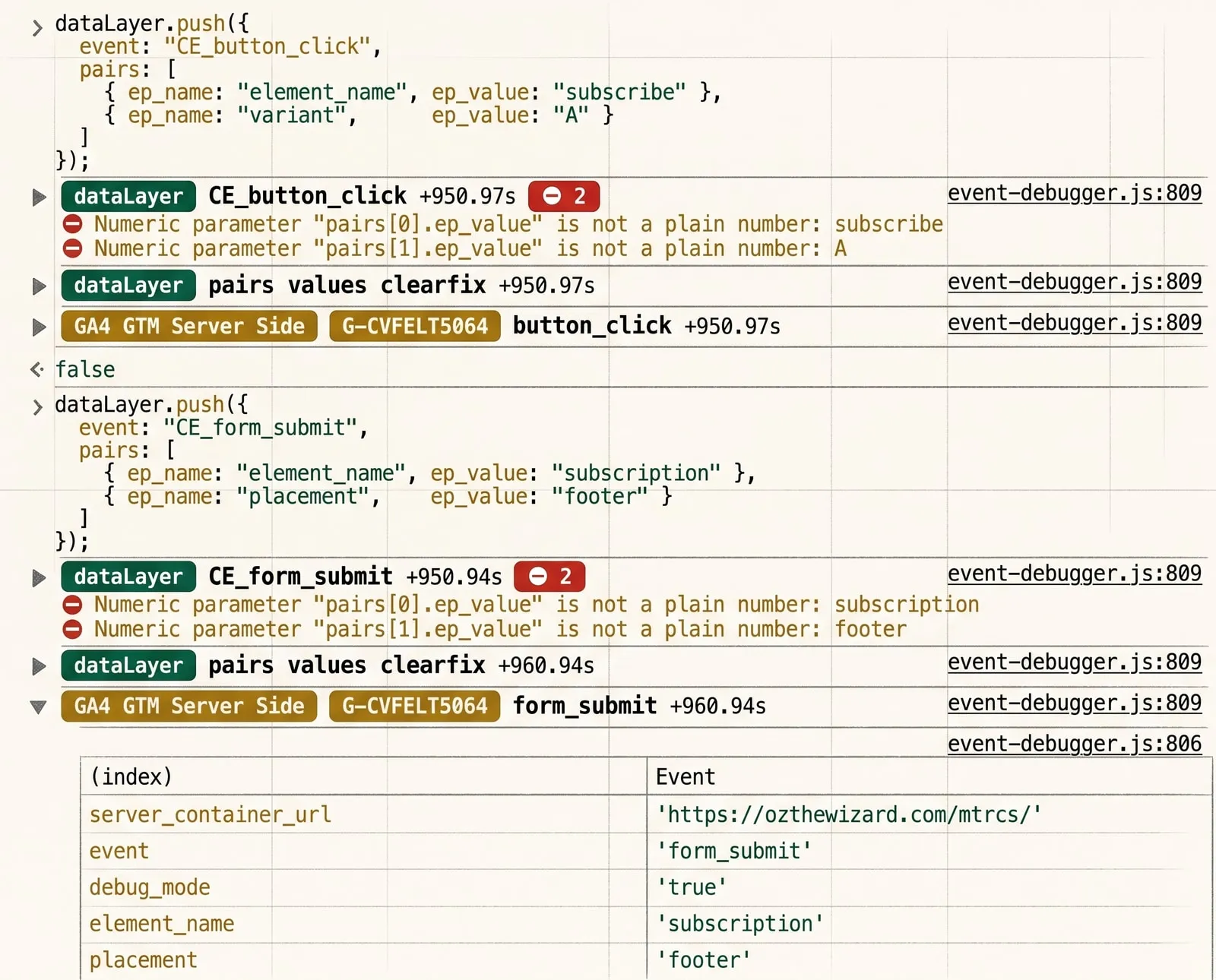
We open preview mode and the site’s console. We fire test events, something clear and meaningful:
dataLayer.push({
  event: "CE_button_click",
  pairs: [
    { ep_name: "element_name", ep_value: "subscribe" },
    { ep_name: "variant",      ep_value: "A" }
  ]
});dataLayer.push({
event: "CE_form_submit",
pairs: [
{ ep_name: "element_name", ep_value: "subscription" },
{ ep_name: "placement", ep_value: "footer" }
]
});Paste them into the console one after the other. What do we expect?
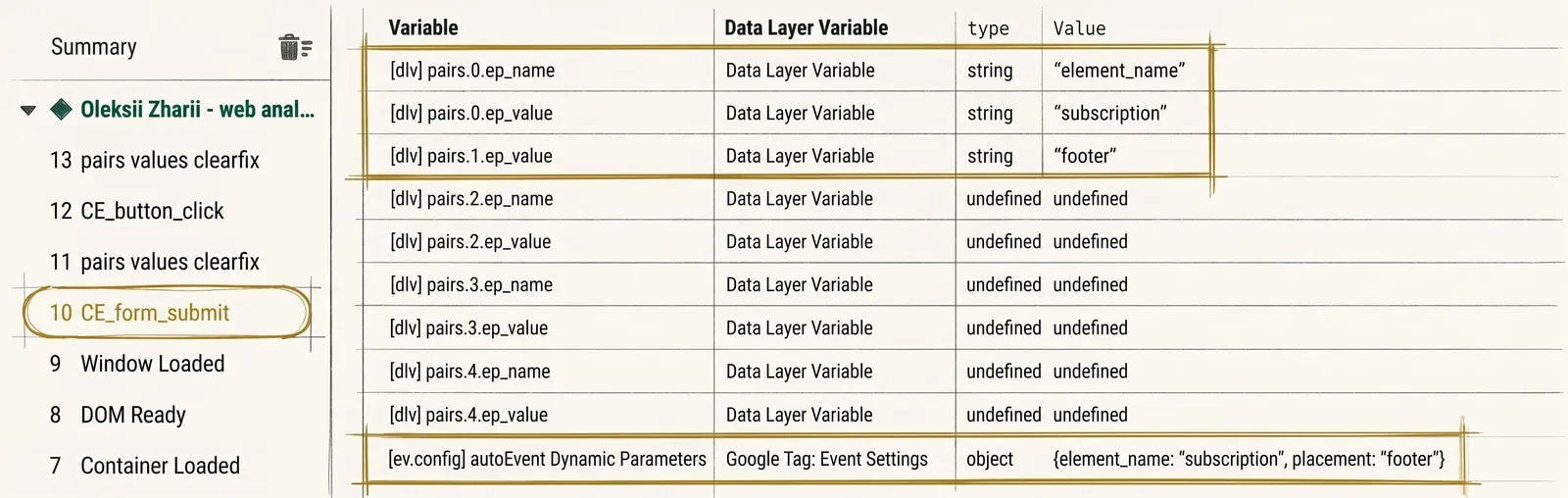
- on a dataLayer push, events are sent to GA4 automatically;
- the parameter names and their values are filled in automatically too;
- the event in the dataLayer carries the
CE_prefix, and by the time it reaches analytics the prefix is gone.
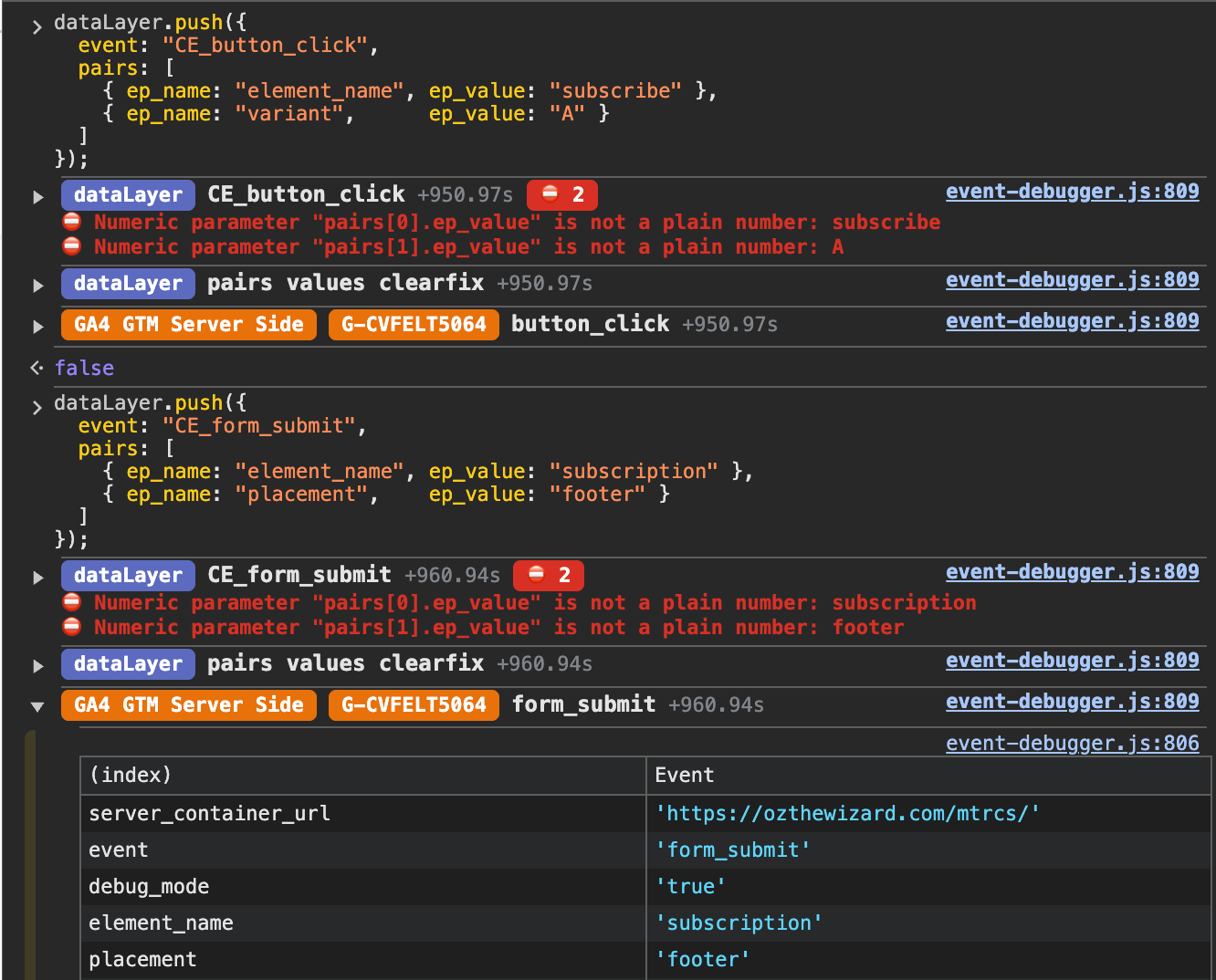
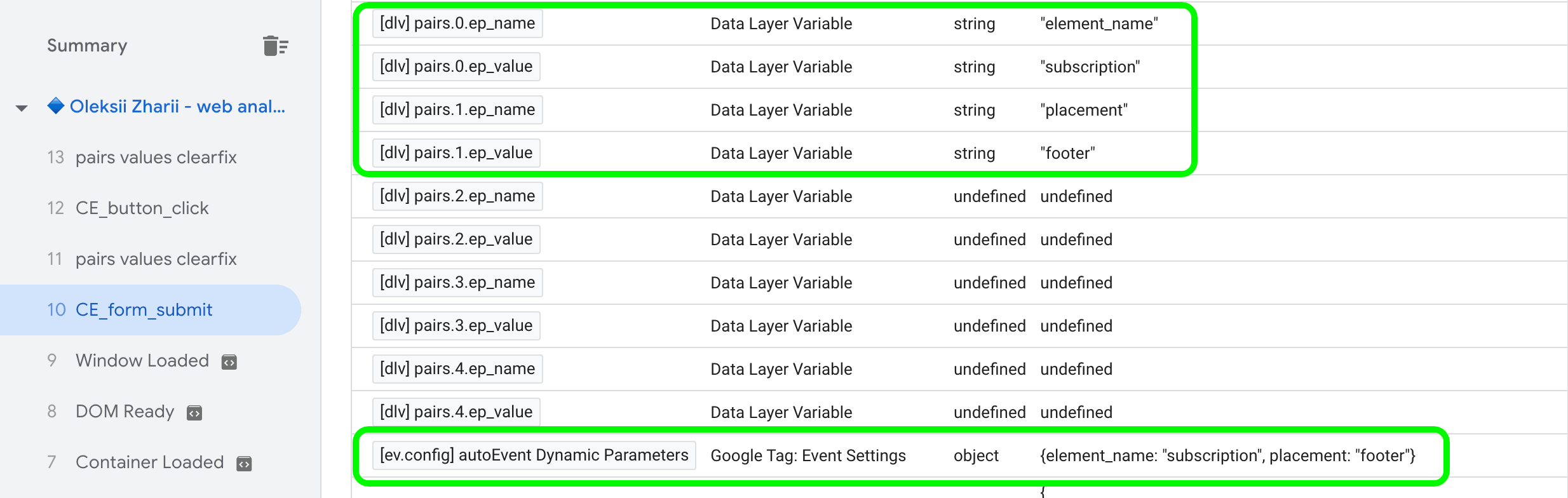
And here’s what it looks like:
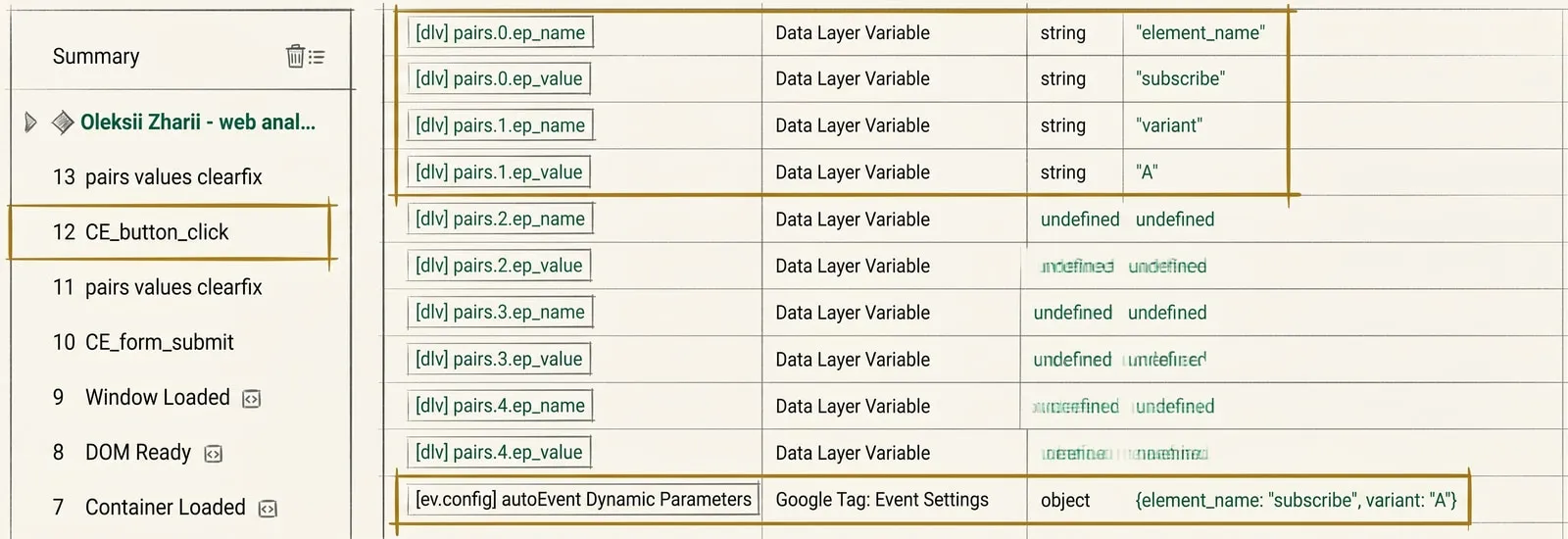
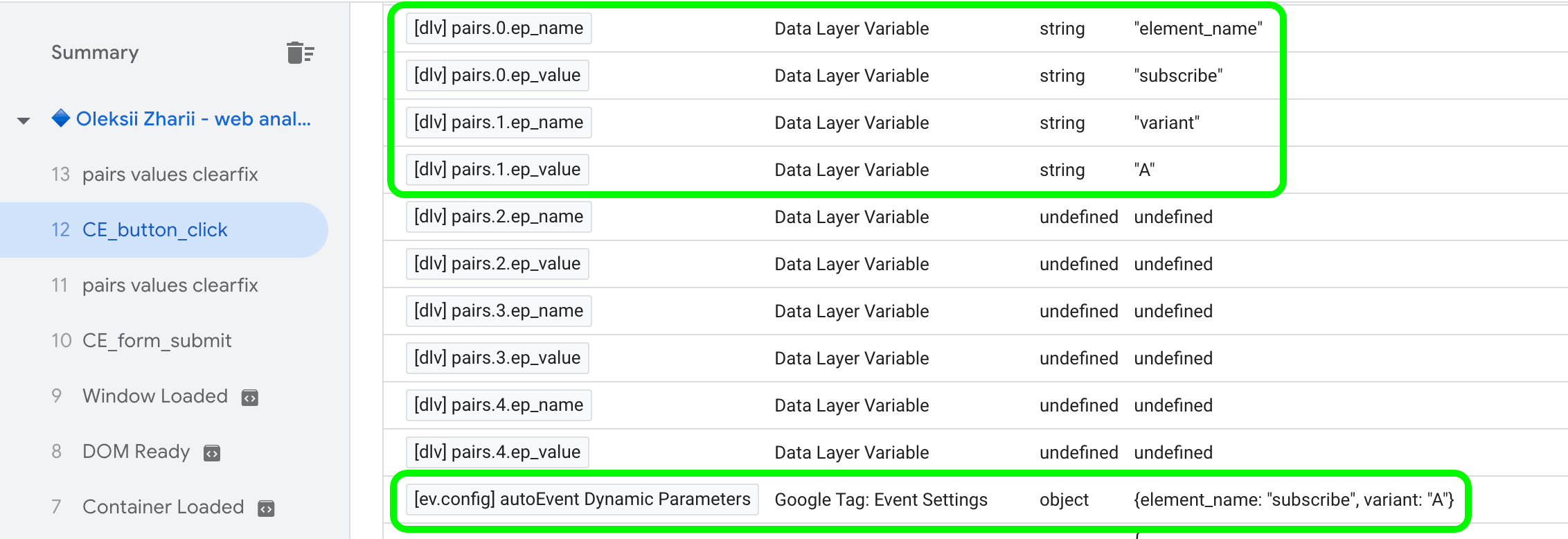
And here’s the same thing in GTM preview mode - parameter names and values sitting in their respective variables.
If GA4 events were all you were after, you can close GTM preview mode here and publish a new container version. But a similar optimization (a slightly different one) can be done for ad conversion tags as well.
Is it worth doing in your particular project? If you set up conversions in ad accounts one-to-one with your analytics events - yes. But here you have to weigh the trade-offs: flexibility of settings against compactness plus tidiness in the GTM interface.
How to cut down the number of ad tags
Let’s look at it through the example of Google Ads conversions.
What we’ll need:
- a variable of type
Custom JavaScript- a so-called conversion catalog; - a trigger of type
Custom Event, almost a copy of the earlier one, except this one fires Google Ads tags; - a tag of type
Google Ads Conversion Tracking.
From the Google Ads interface we need the conversion labels matching the conversions we want to fire through the auto-conversions tag.
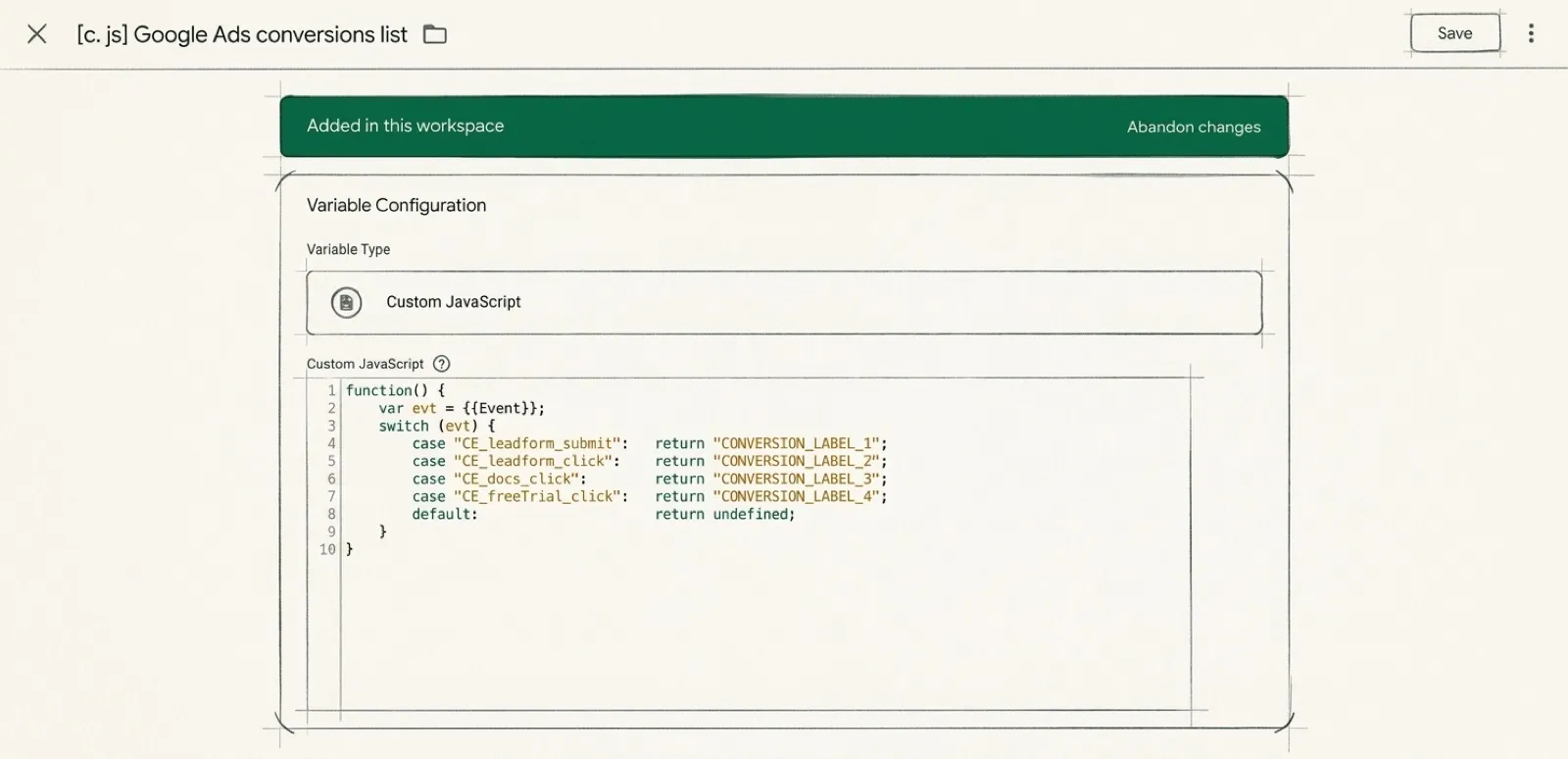
Next we create a variable of type Custom JavaScript, name it, say, [c. js] Google Ads conversions list, and map out which conversion should fire on which
CE_ event:
function() {
    var evt = {{Event}};
    switch (evt) {
        case "CE_leadform_submit":   return "CONVERSION_LABEL_1";
        case "CE_leadform_click":    return "CONVERSION_LABEL_2";
        case "CE_docs_click":        return "CONVERSION_LABEL_3";
        case "CE_freeTrial_click":   return "CONVERSION_LABEL_4";
        default:                     return undefined;
    }
}
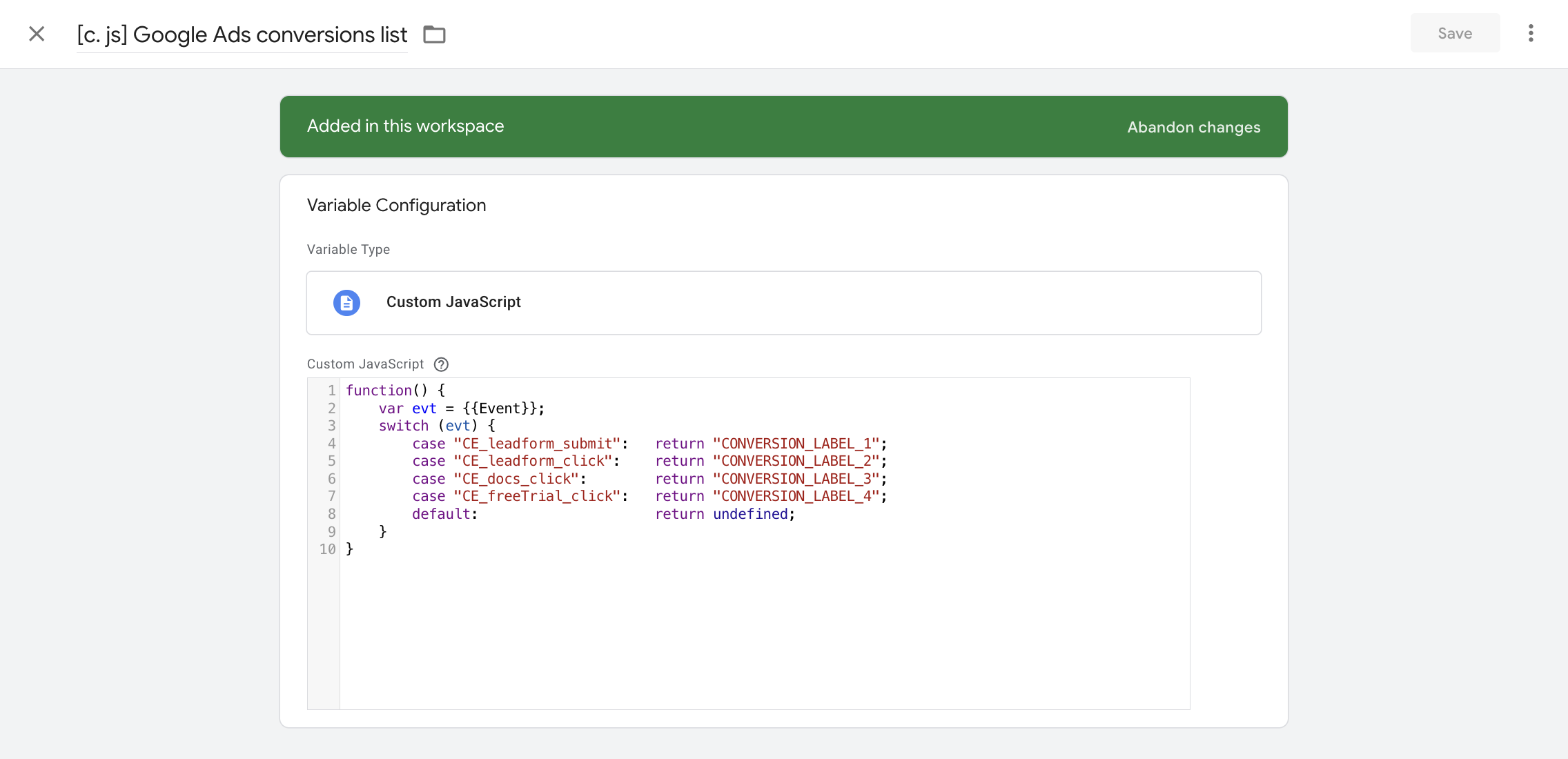
The undefined fallback is there for a reason. We might have 10 CE_ events but
only 4 conversions. If no conversion is found for an event, the tag stays quiet.
Now let’s create a trigger of type Custom Event and call it [c.event] Google Ads all autoConversions:
- Event Name -
^CE_; - Use regex matching - tick the box;
- This trigger fires on -
{{[c. js] Google Ads conversions list}}does not match RegEx^$.
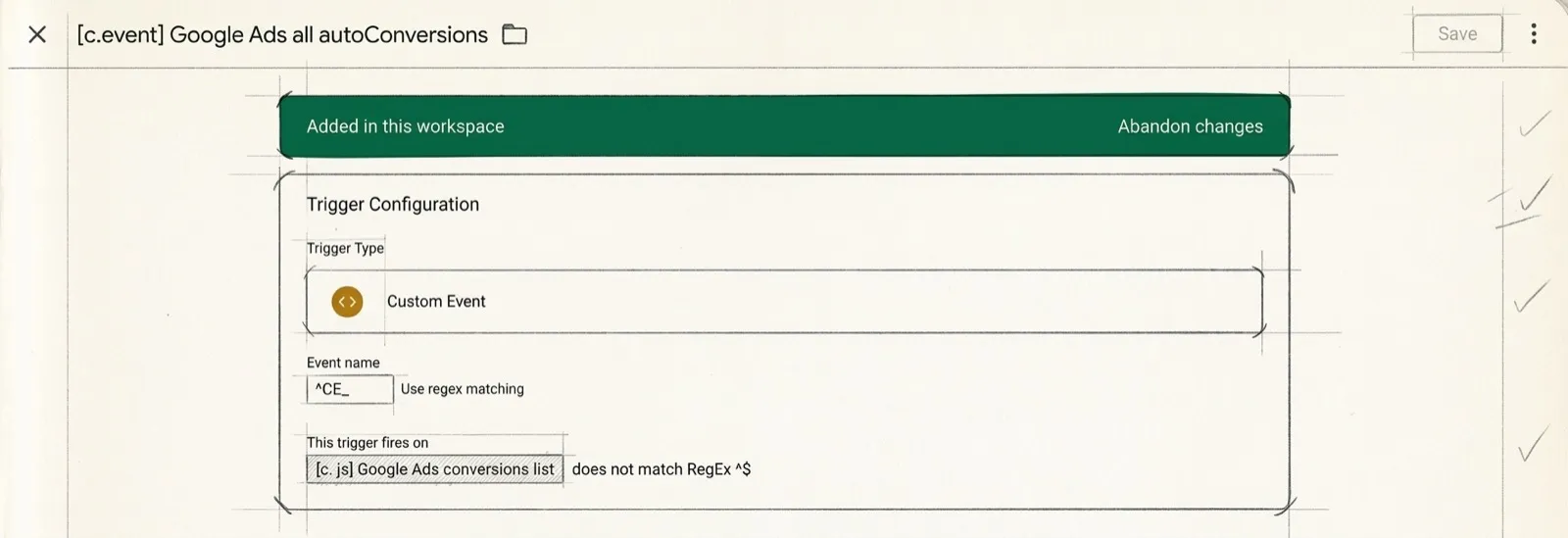
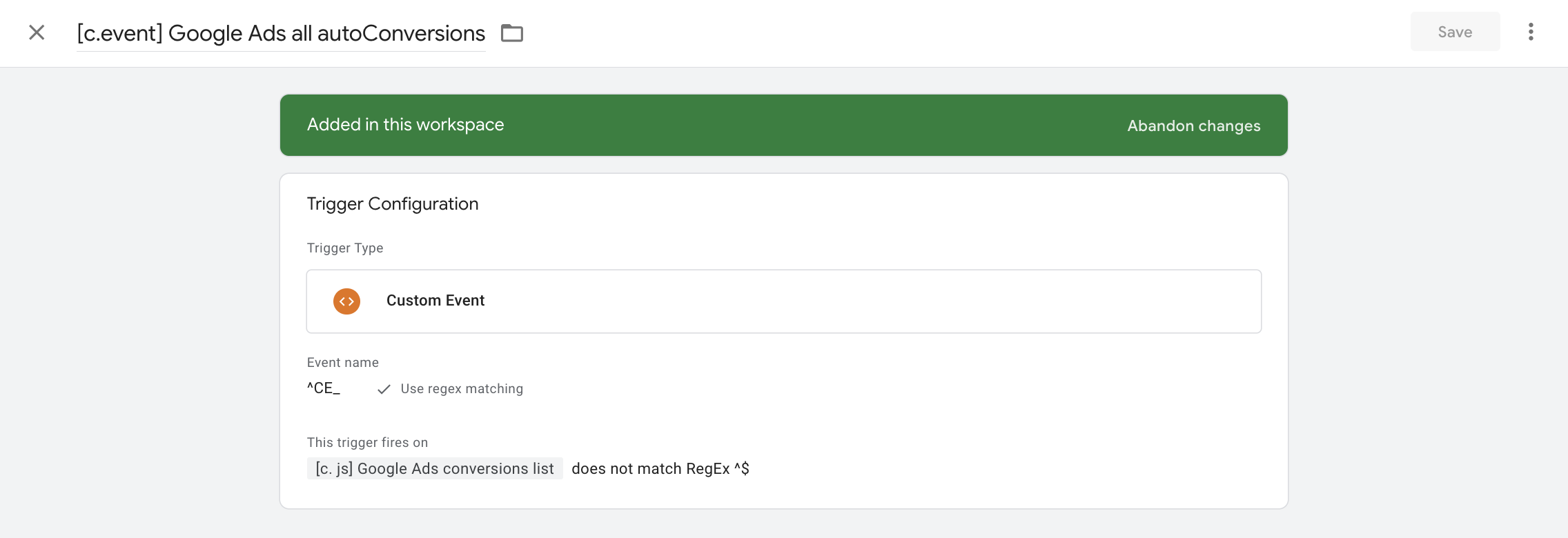
That last condition is exactly what covers the undefined value, and it blocks
the tag from firing whenever the {{[c. js] Google Ads conversions list}}
variable doesn’t return a specific conversion label.
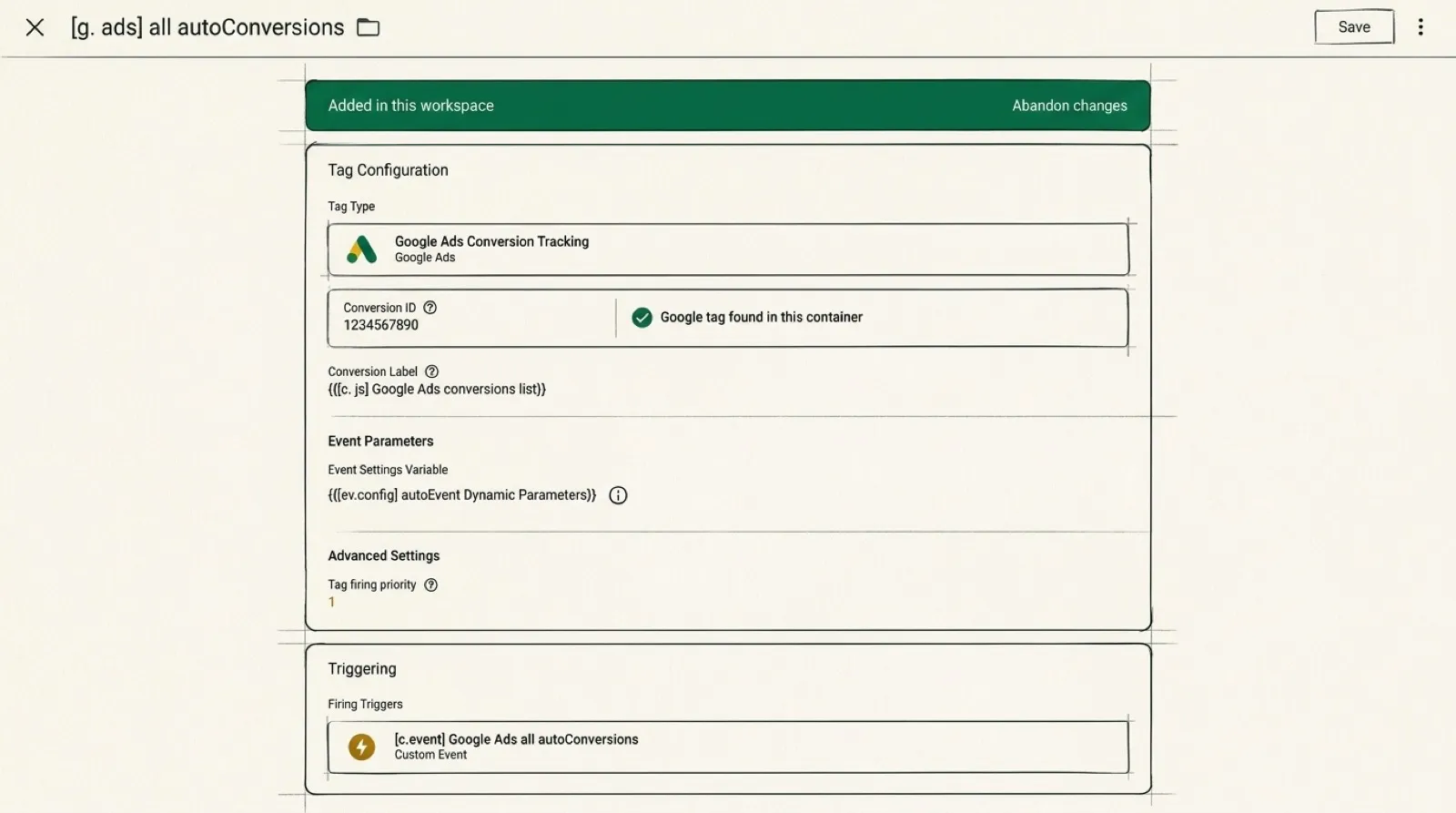
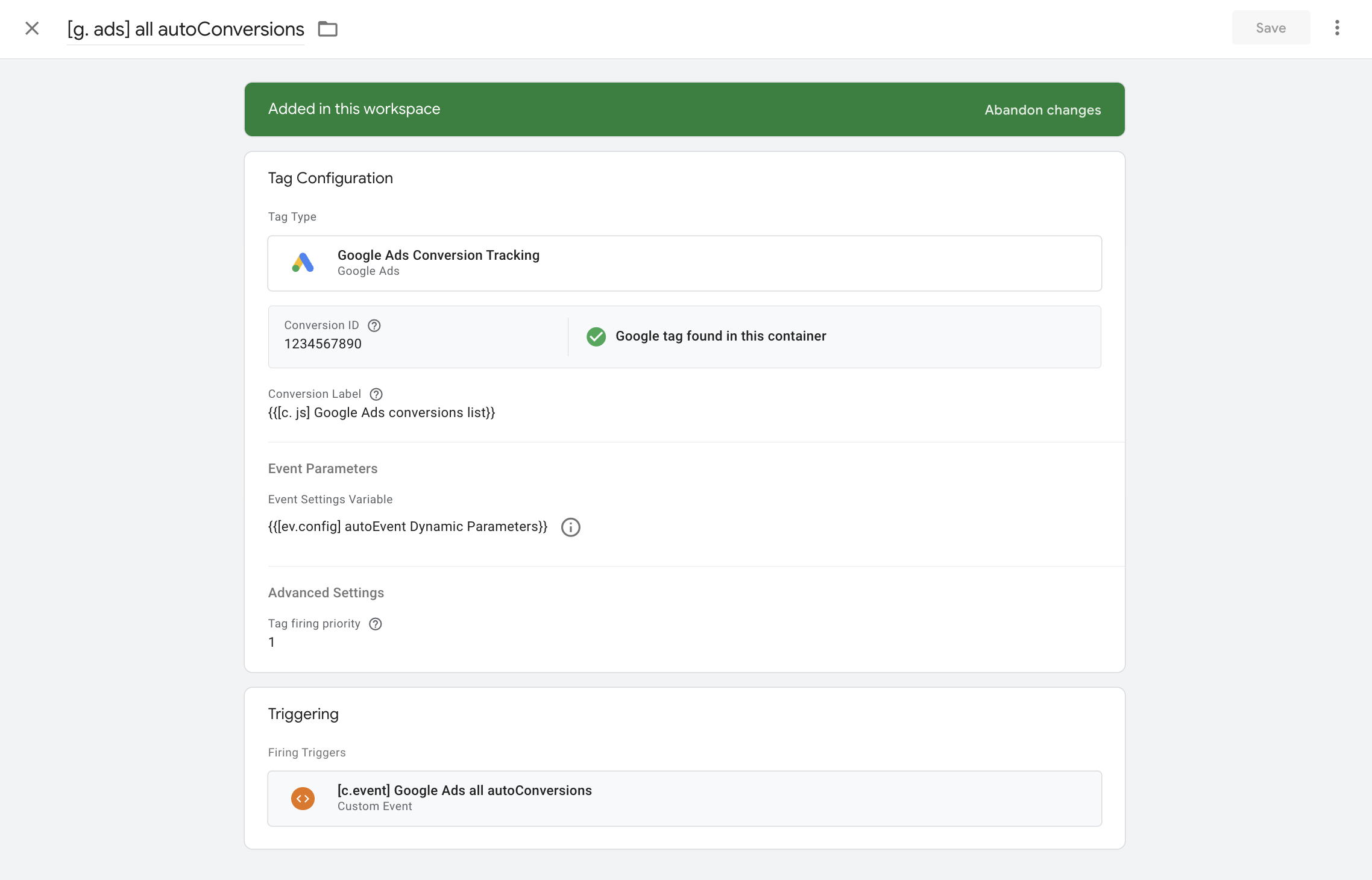
Next we create a tag of type Google Ads Conversion Tracking.
- Conversion ID - take it from the interface;
- Conversion Label -
{{[c. js] Google Ads conversions list}}; - Event Parameters -> Event Settings Variable ->
{{[ev.config] autoEvent Dynamic Parameters}}; - Tag firing priority - 1, or any value greater than zero
For the trigger we take [c.event] Google Ads all autoConversions.
That’s basically it.
One question I want to close: why did we create a separate trigger to fire the auto-conversions tag instead of using the one we built for auto-events?
It’s simple - too much of a good thing.
The main thing here is not to over-optimize and to keep your sanity, balancing on the edge of convenience, compactness and, just as importantly, functionality.
What all this is for
Once the construction is standing, the analyst’s work on new events comes down to handing out a dataLayer push template. A stakeholder comes over: “we need to track that button”. You don’t go into GTM. You hand over a form:
dataLayer.push({
  event: "CE_<object>_<action>",
  pairs: [
    { ep_name: "<parameter name>", ep_value: <value> }
  ]
});
And three rules that come with it:
- The event name is
CE_, then the object, then the action. First what was touched, then what happened. - No more parameters than there are pairs set up.
- Parameter names are looked up in the tracking plan (so you don’t breed near-duplicates)
Then the stakeholder writes the spec (or adds the event to the tracking plan as a new row, and you write the spec), the developer ships it to production, and the event starts collecting on its own. And that’s where the strangest feeling waits for you: that easy? Zero effort on your side, yet you watch new events land perfectly in analytics. And not a single container publish in GTM.
What the method costs
The parameters, their names included, became flexible. The rest of the tag went the other way.
Because besides the parameter table a tag has a pile of other settings, and now they’re shared across all events at once: one measurement ID for all of them, one consent setting for all of them, one firing rule for all of them.
You used to pay with time. Now you pay with flexibility.
Here’s how that feels in practice. To switch off one event in one specific case, you have to write a blocking trigger out of several conditions and hang it on the shared tag. In the “a tag per event” world that would be one click on “pause”.
This isn’t a defeat for the method. The auto-events tag is for everything of the
same kind; anything with special settings gets pulled out into its own tag. The
main thing is not to get carried away. If you’ve ended up with more separate tags
than CE_ events, the scheme has stopped saving you anything.
The responsibility is yours
We agreed on the tracking plan at the start. And the owner of the tracking plan is the analyst.
The analyst is also responsible for what GA4 collects. Not the developer, not the stakeholder, not whoever wrote the spec. When somebody asks six months later why the events report is a complete mess, they’ll ask the analyst, not the developer. And here comes the awkward part: you can only guarantee what you control. Once you’ve handed everyone in the company the ability to add events, the final word, the validation and the checking still have to sit with the analyst.
The point of the method I described in this article is to cut down the routine tasks around GTM, not to remove control. A dataLayer push is code, and code travels through a developer’s pull request. A decent practice is to put the analyst on that pull request as a reviewer. It’s a three-minute job - check the pieces of the dataLayer push against your tracking plan.
The bottom line
The easiest part of this story is the tag itself. Clicking it together in the GTM interface takes twenty minutes. Grasping the idea is genuinely harder. The hardest and the most valuable part is the agreement (the tracking plan) and a process that runs: first the event and its schema get written down in a spreadsheet, and only then into the site’s code.
Implementing a method like this without closing the process on yourself means littered analytics, parameters that duplicate each other in meaning (transaction_id/order_id, value/price) and crooked event names with no logic in them whatsoever.